








One eSIM
42 countries worldwide
Take a smile and our Travel Data eSIM on your journey, keeping costs under control. Available to everyone, regardless of their primary network.
How to activate travel eSIM?
Purchase Telekom Travel Data eSIM
QR code and activation code will be sent to your email address
Install eSIM: open settings and add a new eSIM plan
Activate when you arrive in one of the countries on our list: enable the eSIM plan in your phone settings and – you're ready to connect
Internet traffic add-ons
Activate the add-on in the Telekom ME app after activating your eSIM. A topped-up prepaid balance is required.
How to install eSIM on your device
Select your phone manufacturer and follow the steps.
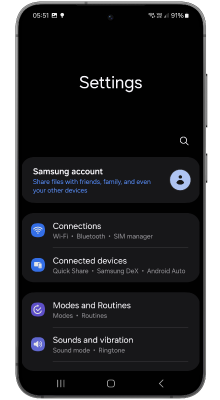
Step 1: Tap Connectivity
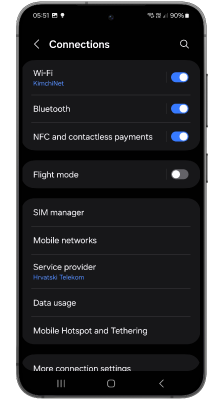
Step 2: Tap SIM Manager
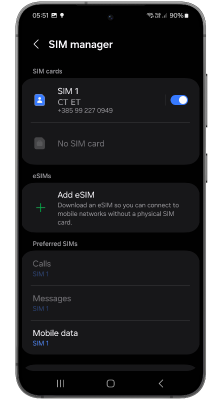
Step 3: Tap Add eSIM
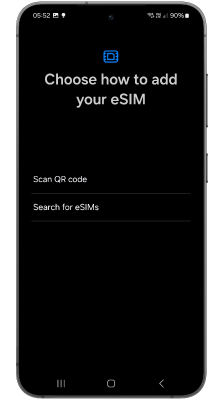
Step 4: Tap Scan QR code
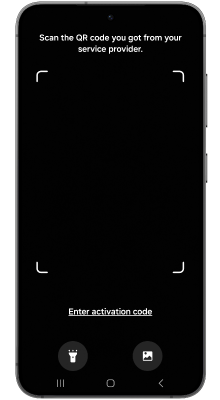
Step 5: Scan the QR code you received or open Gallery to select it
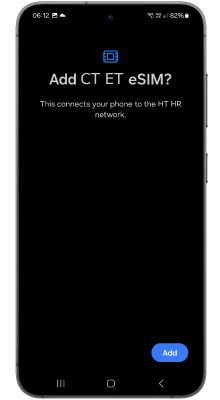
Step 6: Tap Add
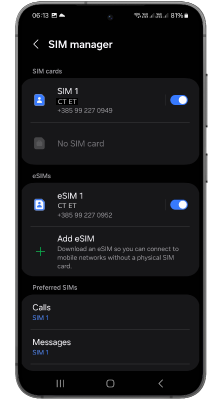
Step 7: Once added, you can manage settings for calls / messages / data
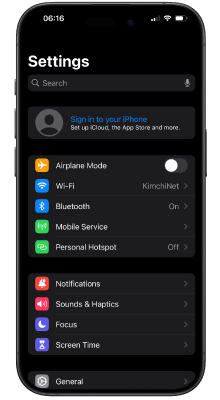
Step 1: Tap Mobile Service
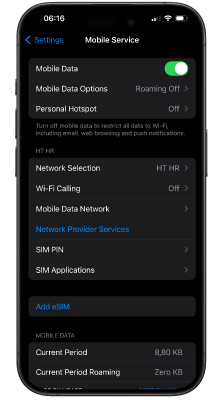
Step 2: Tap Add eSIM
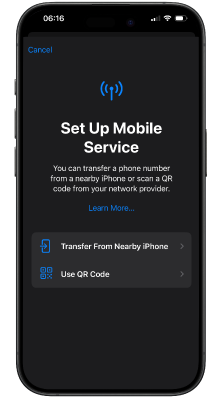
Step 3: Scan the QR code you received or tap Open Photos to select it
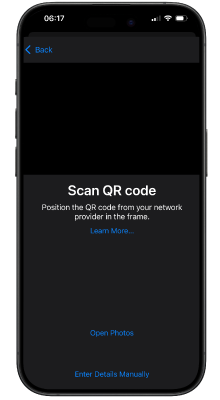
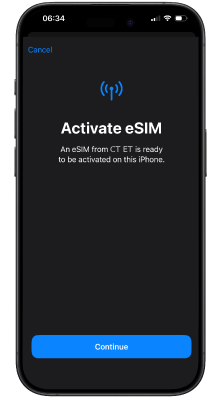
Step 4: Tap Continue
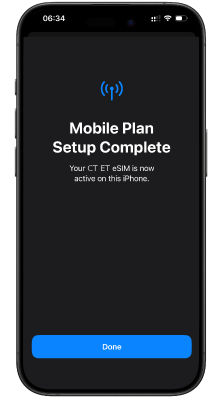
Step 5: Tap Done
Step 6: Follow the on-screen instructions to select settings for calls / SMS / data
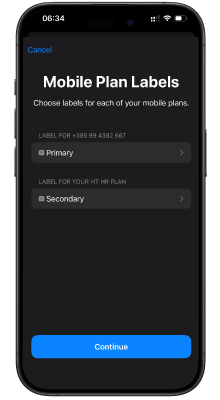
Step 7
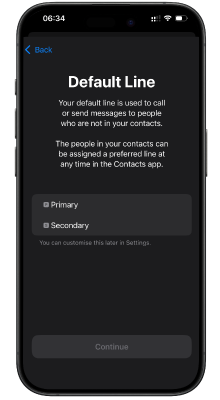
Step 8
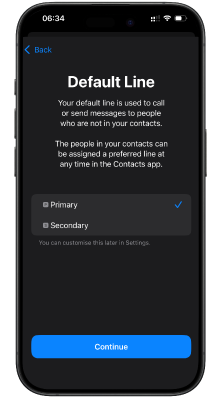
Step 9
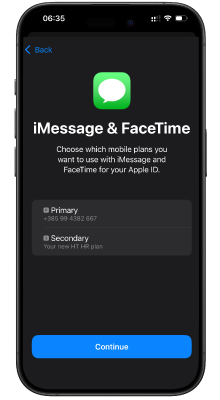
Step 10
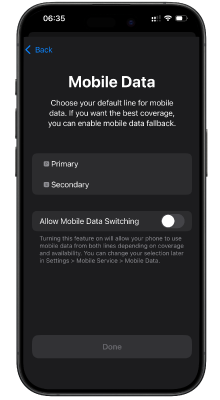
Step 11
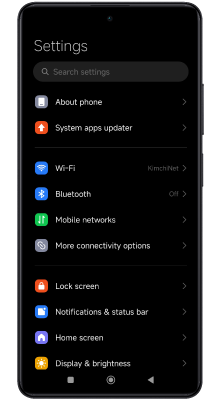
Step 1: Tap Mobile Networks
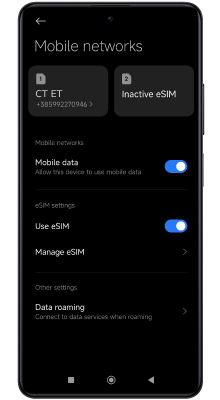
Step 2: Check that the eSIM toggle is enabled and tap Manage eSIM
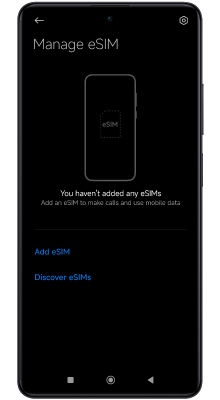
Step 3: Tap Add eSIM
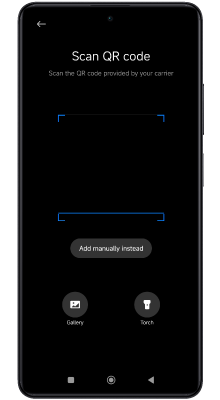
Step 4: Scan the QR code you received or open Gallery to select it
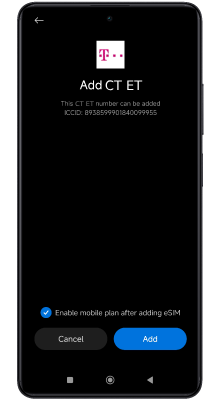
Step 5: Tap Add
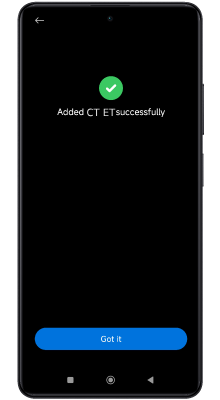
Step 6: Tap Got it
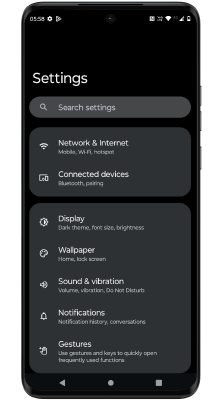
Step 1: Tap Network & Internet
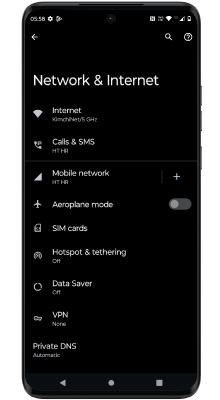
Step 2: Tap SIM cards
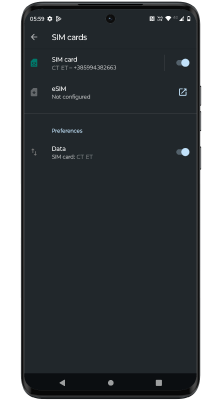
Step 3: Tap the icon to the right of eSIM
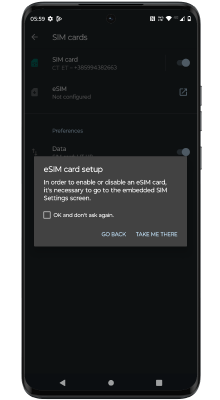
Step 4: Tap Take me there
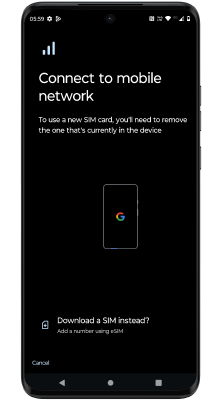
Step 5: Tap Download a new eSIM
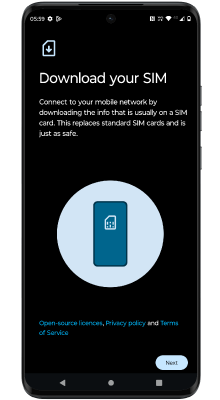
Step 6: Tap Next
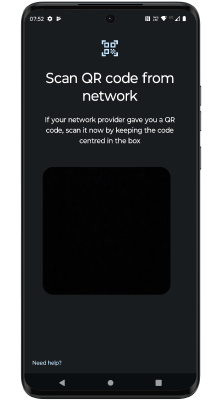
Step 7: Scan the QR code you received
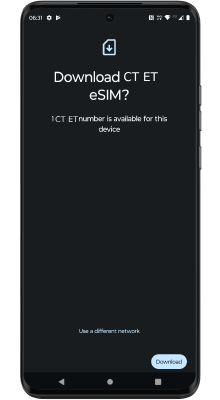
Step 8: Tap Download
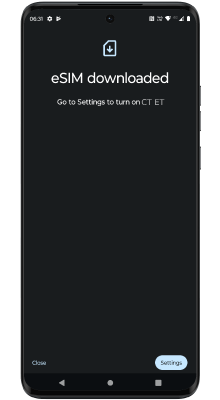
Step 9: Tap Settings
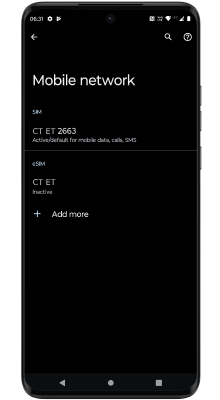
Step 10: Tap CT ET
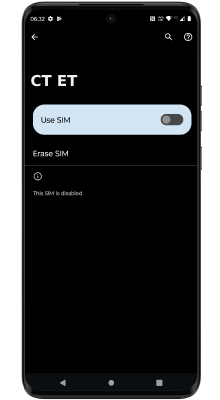
Step 11: Slide the toggle to the right to Use eSIM
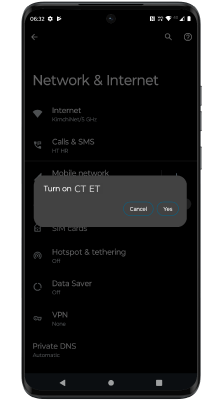
Step 12: Tap Yes
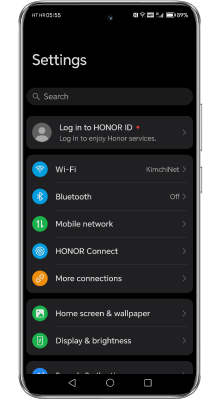
Step 1: Tap Mobile Network
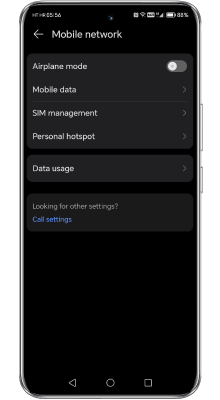
Step 2: Tap SIM management
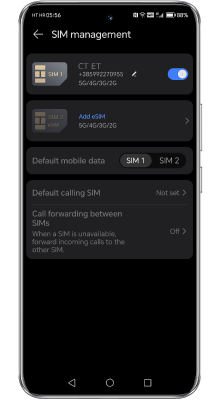
Step 3: Tap Add eSIM
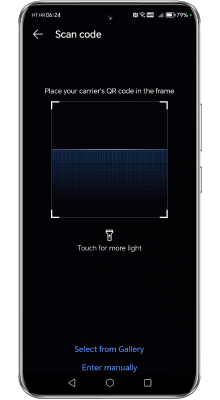
Step 4: Scan the QR code you received or tap Select from Gallery to choose it
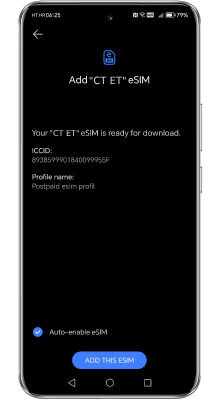
Step 5: Tap Add this eSIM
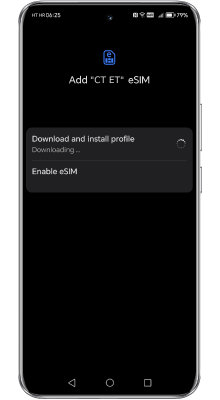
Step 6
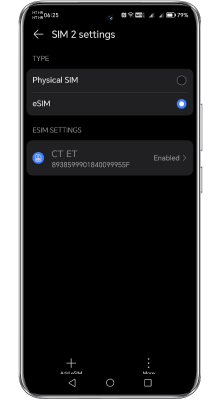
Step 7
Frequently Asked Questions
What is eSIM?
Many phones support multiple eSIMs, which you manage easily in your phone settings. This is especially useful when travelling, as you can order and set up a new eSIM online in just a few minutes for use on your trip.
Does my phone support eSIM?
Is online identification required?
What documents do I need to register an eSIM data plan?
For citizens of other countries, a passport is required.
Can I get a refund in case of problems?
Contact us within 24 hours – live chat on the web or in the Telekom ME app, Viber or WhatsApp – and we will process your request as soon as possible.
What is the validity of the Travel eSIM plan?
What should I do if I delete my eSIM profile or change devices?
Write to us at webshop@telekom.me and we will send you a new activation code.
Can I activate an internet add-on before the first 180 days expire?
Can I make calls with the Travel Data eSIM?
Can Travel eSIM users top up their account, use prepaid options, and track resource usage?
The number can be easily added to the app, where users can continuously monitor their usage and available resources at any time
42 countries worldwide
Europe · Asia · Americas and beyond
No results for your search.
Preuzmite Telekom ME aplikaciju